A strong password policy? Here’s how to set one up
Home » Security » A strong password policy? Here’s how to set one up
A good password policy is essential for every organization. However, it often remains on paper, or is limited to a document that employees read once and then forget.
The reality: if you don’t make your password policy practical, no one will follow it.
And that’s where a password manager like Bitwarden comes in.
Why have a password policy?
A password policy sets out how employees should handle passwords. This includes rules such as:
- Minimum number of characters
- Use of capital letters, numbers, and special characters
- No reuse of passwords
- Change regularly (if necessary)
- Protect passwords against leaks
But simply imposing rules rarely works. What’s more, your colleagues will see it as more of a burden than anything else. That’s not the intention. Fortunately, Bitwarden can help you with this.
From paper to practice with Bitwarden
Bitwarden makes password policy pragmatic and measurable.
Here’s how it works:
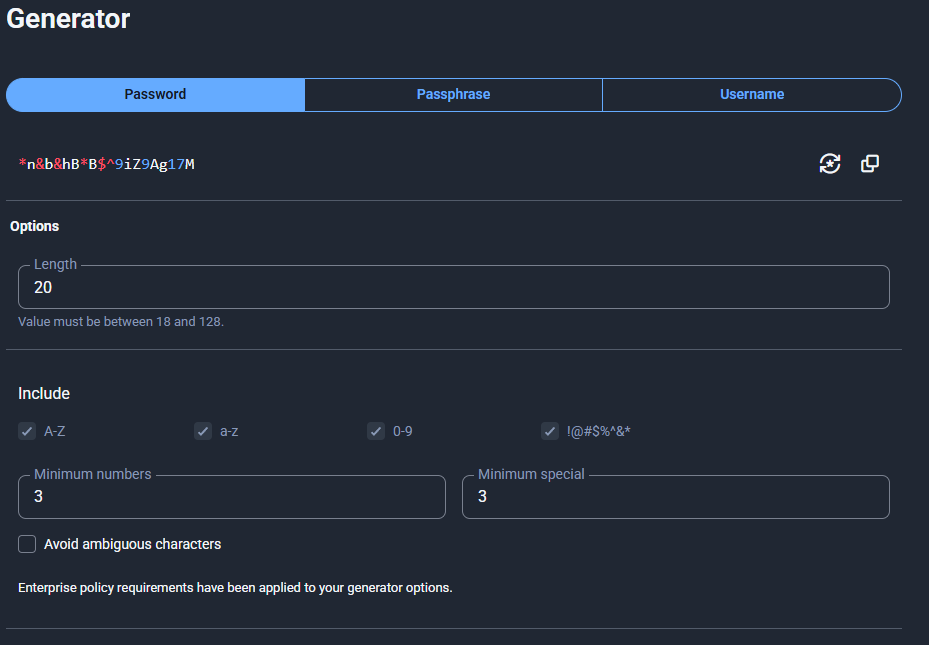
- Central management options within Bitwarden: As an organization, you set a single policy for all employees. For example: a minimum of 16 characters and always a combination of letters, numbers, and symbols. Your colleagues don’t need to configure anything else. When they generate a password, it will meet the requirements.
- Unique passwords per account: With one click, you can generate a new, unique password for each account. This prevents a leak on one platform from compromising other accounts, something that is becoming increasingly common.
- Secure sharing of login details: Instead of sending passwords via email or chat, you can share them encrypted via Bitwarden Send. This is useful when collaborating with suppliers or partners. They do not need Bitwarden to do this.
How to document it
Your password policy doesn’t have to be a lengthy document. A concise, clear guideline works better, for example:
- All business accounts are stored in Bitwarden.
- Passwords consist of at least 16 characters and have at least 3 special characters and 3 numbers.
- Each account is assigned a unique password. Reusing passwords is not permitted.
- Passwords are only shared via Bitwarden and require a password. That password may only be shared with the recipient by telephone.
Implementation at the organizational level
- Install Bitwarden organization-wide: On both workstations and mobile devices.
- Define and configure password rules in the admin settings.
- Provide brief training to employees: Show them how to generate, store, and share passwords. This should be a tool, not a burden.
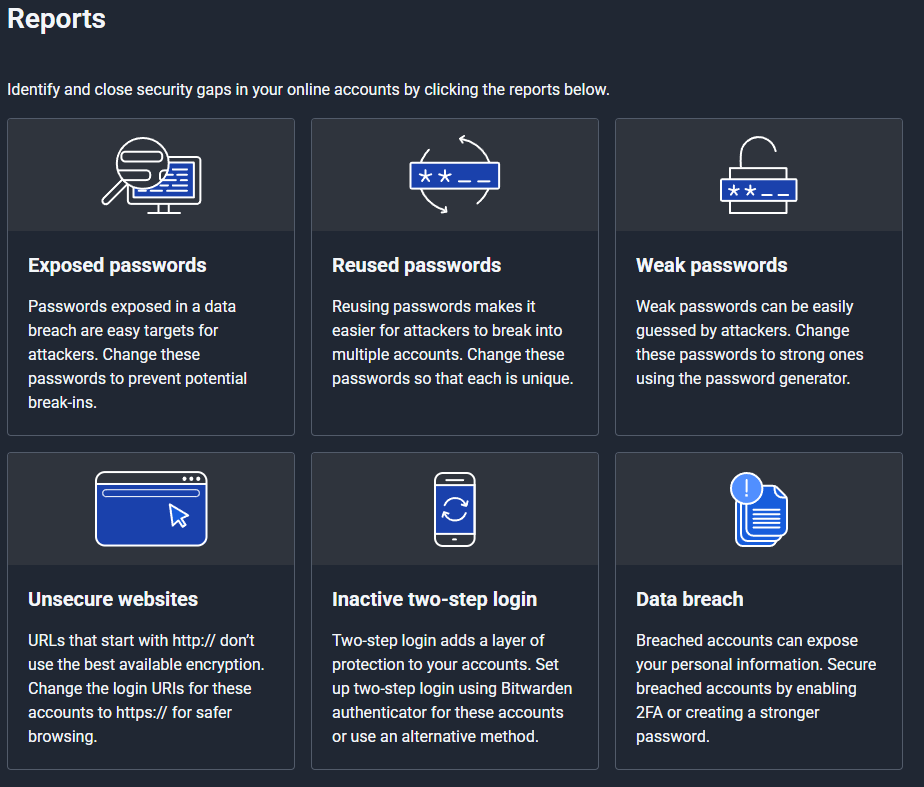
- Check compliance: Bitwarden provides reports that show whether employees are following the guidelines.
- Make it part of onboarding: New employees are given immediate access to Bitwarden and an explanation of the password policy.
Why this works
Bitwarden lowers the threshold for employees. They don’t have to remember complicated passwords and can still comply with strict security standards.
This way, the password policy becomes not just a document, but a habit in everyday work.
Need help implementing Bitwarden and your password policy?
We help organizations draft clear policy documents and implement them in practice, so that strong passwords become the standard.