Risk assessment & the 5×5 risk matrix
Home » NIS2 Compliance » Risk assessment & the 5×5 risk matrix
In Blog 2, you learned how to create an asset inventory and classify your assets according to the CIA classification (and possibly Privacy).
Now it’s time for the next step: identifying your risks with a risk assessment.
What is a risk assessment?
A risk assessment shows where you are vulnerable and which risks are most urgent. You base this on your assets.
To do this, you need to map out two things:
- Threats: events that can cause damage, such as phishing, ransomware, physical theft, or power outages.
- Vulnerabilities: weak points in systems, processes, or behavior, such as outdated software, poor passwords, or missing backups.
Examples of threats and vulnerabilities
Threats:
- Phishing campaigns targeting employees
- Malware infections via infected USB sticks
- Data breaches due to human error
- DDoS attacks that shut down online services
- Insider threats from disgruntled employees
Vulnerabilities:
- Outdated operating systems without security updates
- Inadequate access management (too broad rights)
- No multi-factor authentication on critical accounts
- Poorly configured firewall or network segmentation
- Unencrypted storage of sensitive data
The two major measurements in a risk assessment
You always assess risks in two scenarios:
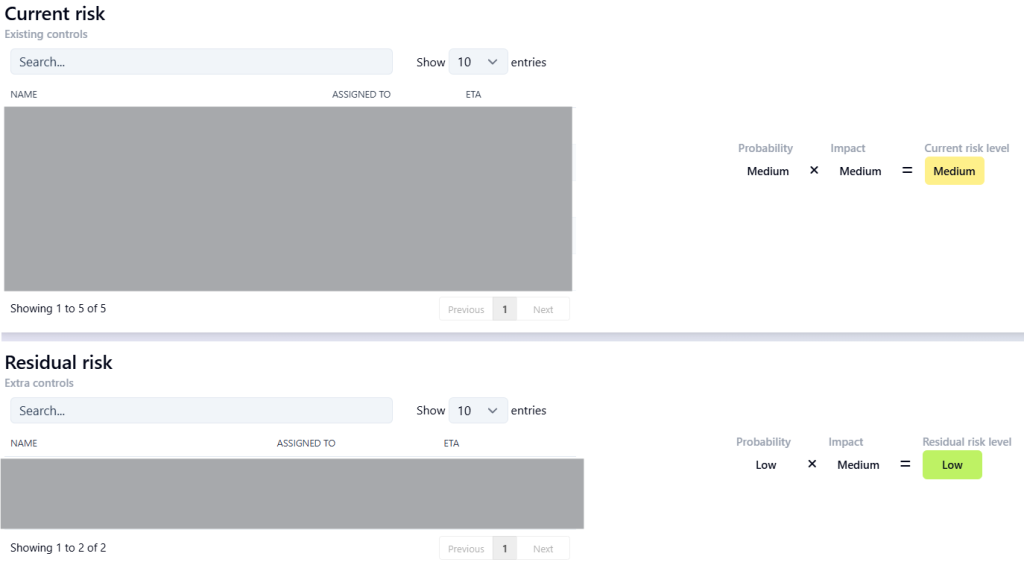
- With the current controls: How big is the risk and impact with the security measures you already have in place?
- With planned or desired controls: How much lower will the risk be if you introduce new measures?
This way, you can see not only where you stand, but also the effect of improvements.
Make it practical
- Group your assets
Bundle assets that have the same classification, such as 100 work laptops or all cloud servers. This will help you work faster. - Link threats to asset(groups)
Determine which threats are relevant for each asset(group) and which vulnerabilities are associated with them. - Determine probability and impact
Use a scale of 1–5 for probability and impact, so you can multiply them to get a risk score. - Calculate risks with and without additional measures
This allows you to immediately see where you can make the most gains. - Prioritize
First tackle the risks with the highest score and feasible solutions.
The 5x5 risk matrix
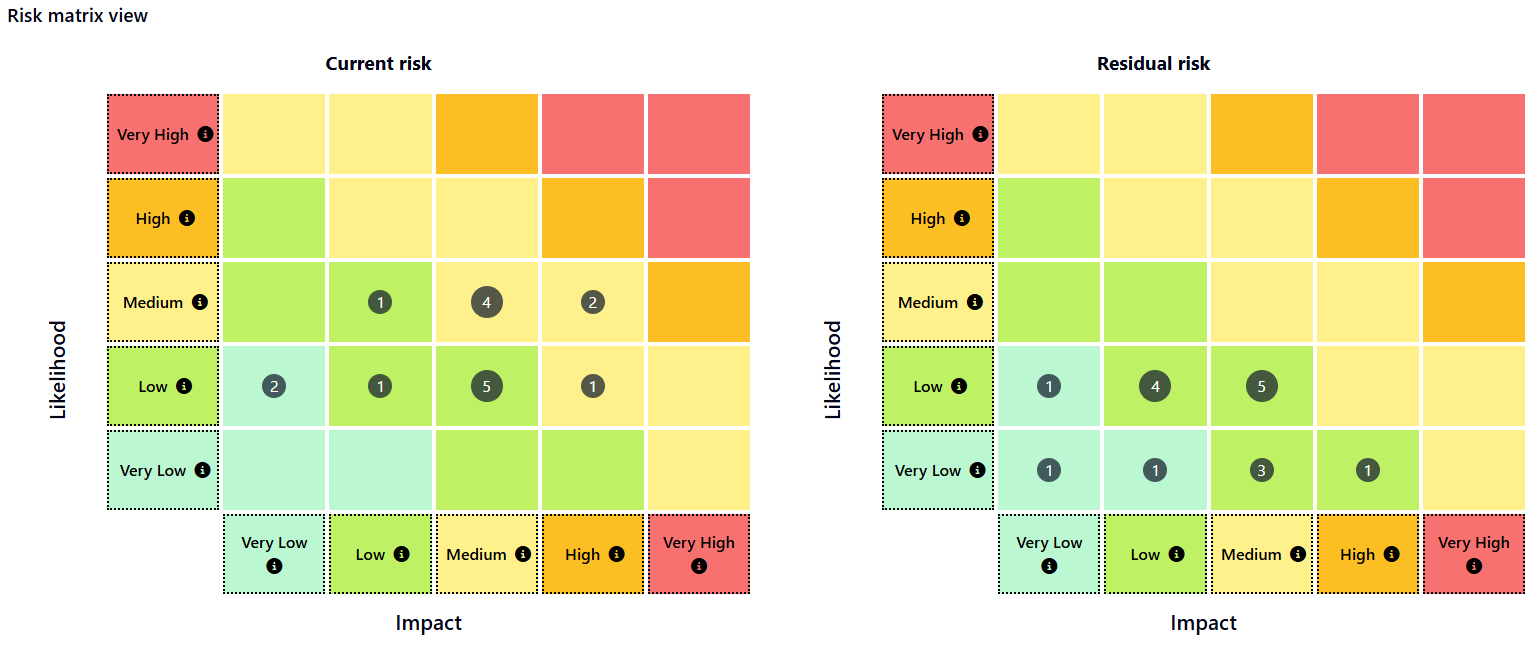
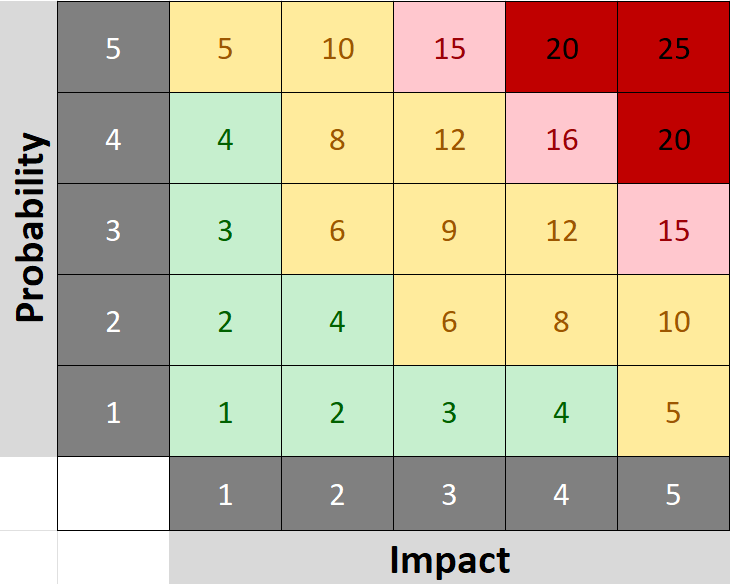
The 5×5 risk matrix is a simple way to assess risks objectively.
- Probability: How likely is it that the threat will occur? (1 = very unlikely, 5 = almost certain)
- Impact: How great is the damage if the threat becomes reality? (1 = negligible, 5 = catastrophic)
By calculating probability × impact, you get a risk score between 1 and 25:
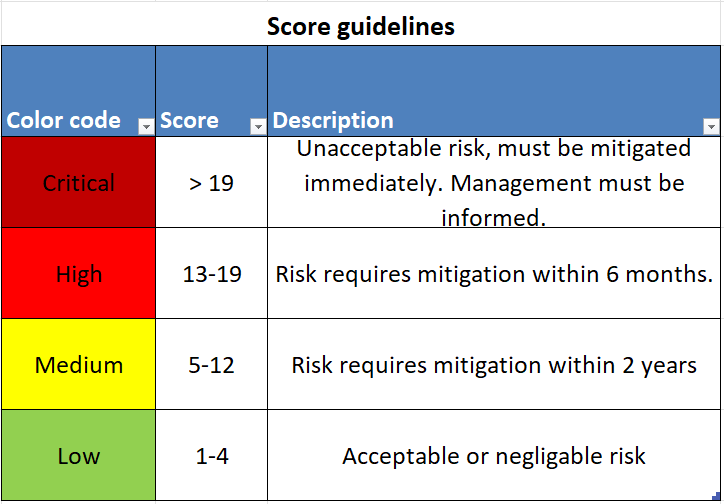
- Low (1–4) – Acceptable risk
- Medium (5–12) – Attention required
- High (13–19) – Take immediate action within 6 months
- Critical (>19) – Take immediate action
Colors (green, yellow, red) allow you to see at a glance which risks have priority. You can determine these scores yourself as an organization and link a description to them. This is just an example.
An example
- Asset: CRM system containing customer data
- Threat: Ransomware
- Vulnerability: Insufficient endpoint protection on laptops that have access to this system
- Risk with current controls: Probability = 4, Impact = 4 → Risk score = 16 (high)
- Risk after planned controls (additional endpoint security + awareness training): Probability = 2, Impact = 3 → Risk score = 6 (moderate)
If you have followed this series, you now have a solid foundation for getting started with frameworks such as Cyberfundamentals and ISO27001. You also now have a good overview of your digital environment. Need help taking the step toward compliance? We are happy to assist you!